From the blog
Is your broadband ready for Christmas streaming? Speeds and data for HD and 4K
With everyone home and several screens on at once, the connection can struggle. Netflix's own figures for the speed each quality needs and the data it uses, and how to make a busy household connection go further.
Published · 3 min read
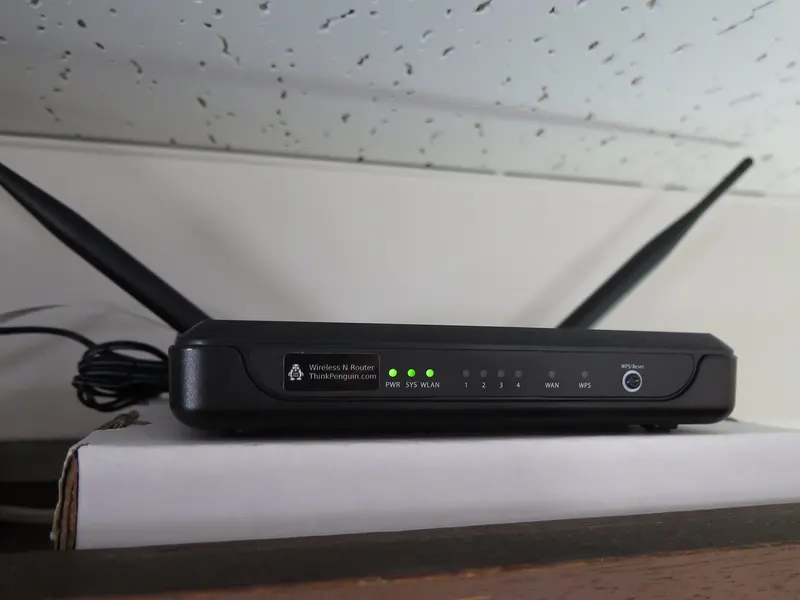
Christmas is when home broadband gets its biggest test of the year: relatives on phones, a new games console downloading updates, someone watching a film in 4K and a teenager streaming in their room. If the picture keeps dropping to a blur, the cause is usually the connection rather than the service.
This post uses Netflix's published figures as a worked example. Other services publish their own recommendations in their help centres, so check the one you use.
How fast does it need to be?
Netflix's recommended speeds for a stable connection are:
- HD (720p): 3 Mbps or higher
- Full HD (1080p): 5 Mbps or higher
- Ultra HD (4K): 15 Mbps or higher
These figures are per stream. Two people watching 4K on different TVs need roughly double, and everything else on the network (video calls, downloads, games) shares the same connection.
A rough Christmas Day sum
As an illustration using Netflix's figures: one 4K film (15 Mbps), one Full HD stream in another room (5 Mbps) and a phone streaming in HD (3 Mbps) adds up to around 23 Mbps before anything else is using the connection. On a slower line, something will have to give.
How much data does it use?
For most home broadband, data is unlimited, but on mobile data, a capped plan or a holiday let, it matters. Netflix's help page gives its maximum usage per hour, per device:
- Low: up to 0.3 GB (basic video quality)
- Medium: up to 0.7 GB (standard video quality)
- High: up to 1 GB for standard definition, 3 GB for HD and 7 GB for 4K Ultra HD
- Auto: picks the highest quality your connection supports, so usage varies
So a four-hour 4K binge on High could use up to around 28 GB.
Changing the setting
Netflix explains that you can change data usage per profile from a web browser: open your Account page, choose Profiles, pick a profile, then Playback settings, and choose a data usage setting. It saves automatically. Netflix notes that restricting data usage may lower video quality.
It also says that if your internet provider limits your speed, lowering the video quality may give a more stable picture and fix buffering.
Making a busy connection go further
These are general tips, not figures from any one service:
- Pause big downloads (console games and system updates) while people are watching.
- Use a cable for the main TV if the router is nearby. A wired connection is usually steadier than Wi-Fi.
- Move the router out of cupboards and away from thick walls if Wi-Fi is weak in the living room.
- Lower the quality on small screens. A phone doesn't need the same settings as the big TV.
- Download in advance. Many services let you download episodes to phones and tablets while the connection is quiet.
If it keeps buffering
A simple order to try things in, starting with the easiest:
1. Check whether it's just you. If every service is slow, it's the connection; if it's only one, check that service's status or help page.
2. Pause other heavy use on the network for a few minutes and see if the picture recovers.
3. Lower the quality on that profile or device, as Netflix suggests when a provider limits speeds.
4. Restart the device you're watching on, then the router.
5. Run a speed test on the device itself, near where you watch, and compare it with the figures above.
6. Contact your broadband provider if the speed is consistently far below what you pay for.
Something to watch
If you're planning a holiday binge, our browse page and lists are a good place to start. Some of the newest Netflix originals on the site:
-
2025 · 4 episodes Limited series
-
2024 · 1 series Cancelled
-
2024 · 7 episodes Limited series
-
2024 · 3 seasons Cancelled
Planning a Christmas film night? Our Top Christmas Movies list on Amazon is a good place to start.
General information only, not legal or financial advice. Services change their apps, settings and terms, so check the service's own help pages for the latest.
Sources
Checked 22 November 2026.